Tuesday, November 26, 2013

November 7, 2013
by Jasmin Shah


Having an Operating System named after you, Sounds Amazing ! Isn’t it ?
Specially, after watching the IronMan Series,  I am a die hard fan on
J.A.R.V.I.S. Operating System.

So, let’s get started to make Operating System on our own.
Once you are done with it, Don't forget to share your operating system with me
in the comment section below.
1. Go To : SuseStudio.com

Screen Shot 2013 11 07 at 11.03.12 am 1024x640 How To Make Operating System by Yourself ? SuseStudio OS Operating System OpenSuse Linux

2. Sign Up

Screen Shot 2013 11 07 at 11.03.28 am 1024x640 How To Make Operating System by Yourself ? SuseStudio OS Operating System OpenSuse Linux

Screen Shot 2013 11 07 at 11.03.35 am 1024x640 How To Make Operating System by Yourself ? SuseStudio OS Operating System OpenSuse Linux

3. Select any OS Platform and Architecture you wish to make :

Now, It will create a new appliance for us.

Screen Shot 2013 11 07 at 11.04.37 am 1024x640 How To Make Operating System by Yourself ? SuseStudio OS Operating System OpenSuse Linux

4. Name your OS !

Screen Shot 2013 11 07 at 11.05.32 am 1024x640 How To Make Operating System by Yourself ? SuseStudio OS Operating System OpenSuse Linux

5. Select Necessary Packages/Softwares for your OS :

Screen Shot 2013 11 07 at 11.06.12 am 1024x640 How To Make Operating System by Yourself ? SuseStudio OS Operating System OpenSuse Linux

Here, I am adding a few development related packages.

Screen Shot 2013 11 07 at 11.06.17 am 1024x640 How To Make Operating System by Yourself ? SuseStudio OS Operating System OpenSuse Linux

Select any packages you want to have in your Operating System.

Screen Shot 2013 11 07 at 11.06.26 am 1024x640 How To Make Operating System by Yourself ? SuseStudio OS Operating System OpenSuse Linux

It will automatically select its dependencies.

Screen Shot 2013 11 07 at 11.13.29 am 1024x640 How To Make Operating System by Yourself ? SuseStudio OS Operating System OpenSuse Linux


6. Finalize the General Settings :

  • Select your Language
  • Enable Firewall if you wish to have it
  • Leave Networking setting to automatic.
  • Add Desktop users

Screen Shot 2013 11 07 at 11.16.18 am 1024x640 How To Make Operating System by Yourself ? SuseStudio OS Operating System OpenSuse Linux


7. Interesting Stuff : Personalisation !

Choose a logo and background for your own Operating System.

Screen Shot 2013 11 07 at 11.15.20 am 1024x640 How To Make Operating System by Yourself ? SuseStudio OS Operating System OpenSuse Linux

8. Select Startup option :

I am selecting the Graphical Login.

Screen Shot 2013 11 07 at 11.15.30 am 1024x640 How To Make Operating System by Yourself ? SuseStudio OS Operating System OpenSuse Linux

9. Add your own Files :

Add your files if you wish them to be Pre-Loaded in the Operating System.

Screen Shot 2013 11 07 at 11.16.43 am 1024x640 How To Make Operating System by Yourself ? SuseStudio OS Operating System OpenSuse Linux

10. Select the Build Format :

I have selected USB Stick/hard disk Image, that’s the best option !

Screen Shot 2013 11 07 at 11.18.39 am 1024x640 How To Make Operating System by Yourself ? SuseStudio OS Operating System OpenSuse Linux

Click on Build.

Screen Shot 2013 11 07 at 11.18.47 am 1024x640 How To Make Operating System by Yourself ? SuseStudio OS Operating System OpenSuse Linux


And, Here is your Operating System. Cheers ! icon smile How To Make Operating System by Yourself ? SuseStudio OS Operating System OpenSuse Linux

Screen Shot 2013 11 07 at 11.27.19 am 1024x640 How To Make Operating System by Yourself ? SuseStudio OS Operating System OpenSuse Linux

Now, It's time for testing your own Operating System. What did you 
make with SuseStudio?

Share your ideas and possibilities in comments below.


Posted on Tuesday, November 26, 2013 by Unknown

No comments

Original by :  , 08:00am

Computer programmers take part in a mass


Whether you are looking to switch careers and become a full-time programmer, want to try to build a website or app on the side, or are just looking to round out your skill set, learning to code has certainly been something a lot of people have started to do lately. And while being a programmer might not be for everyone, there is a lot to be said about gaining a better, more educated view of how all those pixels get moved around all those screens.
Before we delve into our list of learning resources sites, we wanted to share some advice from Marissa Louie, a self-taught product designer for Ness Computing. A former startup founder, Louie told TNW that the hardest part of being self-taught – whether it’s design, programming, or any other discipline is, “gathering the courage. The most important barrier is just to overcome your fears” (she also said having the ability to follow instructions helps as well).
Louie said that once you attain the basic skills, the best thing to do is just jump in and try to give yourself custom tasks, and build experience on your own through lots of trial and error.
So with that sound advice in mind, let’s move to our in-no-particular-order list of learning resources (if you have more suggestions, PLEASE list them in the comments!).

1. MIT Open Courseware

logo ocw home new So you want to be a programmer, huh? Here are 27 ways to learn online
MIT’s Open Courseware offers 2100 courses in a variety of topics, including Electrical Engineering and Computer Science. The free resources include online textbooks, exams, multimedia content, assignments and projects and examples – all from actual MIT courses from the last decade or so.

2. Coursera

Coursera launched in April and already has hit the 1 million student mark, and has expanded to include 0ver 200 courses from 33 universities. If you haven’t heard of Coursera, it is the Stanford-learning-idea-turned-mega-startup that basically lets you take a full university course online taught by a real professor at one of the world’s best schools – for free

3. Udacity

Udacity 21st Century University1 520x170 So you want to be a programmer, huh? Here are 27 ways to learn online
Udacity is a free service currently with 14 classes where, “You learn by solving challenging problems… with world-renowned university instructors.” The classes cover topics that seemed geared to not only teaching you to code, but also giving you a solid grounding in math, physics and even, “How to Build a Startup”.

4. Google Code University

Google Code University Google Code 520x93 So you want to be a programmer, huh? Here are 27 ways to learn online
It’s Google and it’s code, so yeah, it’s a pretty solid free resource, and obviously a good one if you are interested in Android development. Has some more advanced topics as well including distributed systems and web security.

5. Mozilla Developer Network

Learn How to Make Websites MDN 520x201 So you want to be a programmer, huh? Here are 27 ways to learn online
Mozilla knows a thing or two about what makes a good website run, and it’s put together a free learning center that includes work written by the the network and also by other sites, like…

6. HTML5 Rocks

Just in case you were wondering, it kind of does. The site has a lot of free info on HTML5, including blog posts, and tutorials.

7. The Code Player

Learn HTML5 CSS3 Javascript video style tutorials TheCodePlayer 520x217 So you want to be a programmer, huh? Here are 27 ways to learn online
The Code Player is a great way to get a real sense of the ebbs and flows of coding (while learning stuff too). It’s kind of like being able to look over the shoulder of a programmer while she works.

8. Codecademy

Learn to code Codecademy 520x220 So you want to be a programmer, huh? Here are 27 ways to learn online
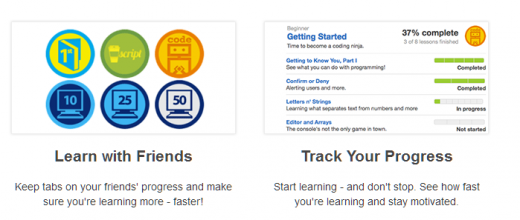
Codecademy was made extra famous at the beginning of this year when NYC Mayor Michael Bloomberg tweeted out that he was going to use the site to learn to code in 2012 (wonder how he’s doing?). Regardless, Codecademy is a popular and free site that adds gamification to the learning process if you want to learn with friends. Codecademy also runs CodeYear.

9. Khan Academy

Another “academy”, Khan Academy offers lots of courses beyond programming if you are looking to be a Renaissance man/woman – but if you’re just looking to code, it has that too.

10. General Assembly

Education General Assembly 520x123 So you want to be a programmer, huh? Here are 27 ways to learn online
General Assembly takes a different approach by offering livestream (paid) sessions on topics like “Rapid Prototyping: From Wireframes to HMTL” – you buy an e-ticket on Eventbrite, get a password, and tune into the livestream when it happens.

11. PeepCode

PeepCode Programming and Development Tutorial Screencasts for Web Developers and Alpha Geeks 520x220 So you want to be a programmer, huh? Here are 27 ways to learn online
PeepCode covers a lot of programming languages, providing downloadable (paid) screencast lessons.

12. Eloquent JavaScript

ejs1 220x290 So you want to be a programmer, huh? Here are 27 ways to learn online
Eloquent JavaScript is actually a book that is completely online for free (or you can buy the ebook on Amazon). From the author’s intro: “JavaScript is the language that is, at the moment, mostly being used to do all kinds of clever and horrible things with pages on the World Wide Web.”

13. Ruby Koans

If learning Ruby (and this is Ruby, not Ruby-on-Rails) is what you’re looking for, Ruby Koans has a free tutorial, promising to “walk you along the path to enlightenment in order to learn Ruby.”

14. Learn Code The Hard Way

Learn Code The Hard Way started with the book (free online) Learn Python The Hard Way and has branched to add other languages including Ruby and C.

15. Stack Overflow

Stack Overflow 220x70 So you want to be a programmer, huh? Here are 27 ways to learn online
While it technically doesn’t have “tutorials” there is a ton of (easily searchable) info on Stack Overflow that can be of great help once you get going. Also, if you ever get stuck on something (and the answer isn’t already there) the community is very good at answering questions.

16. Coder Dojo

Coder Dojos are places were young people can get together to learn to code, so if you’re a parent that’s thinking of setting your kid on the Path to Instagramum, you might want to see if there is one in your area. The site also has a knowledge base put together by  its instructors/volunteers, but it is relatively limited.

17. O’Reilly

OST Logo 220x44 So you want to be a programmer, huh? Here are 27 ways to learn online
Beyond the many many books that O’Reilly publishes, the company also offers (paid) online courses on many different programming languages.

18. Scratch

Scratch Home imagine program share 220x69 So you want to be a programmer, huh? Here are 27 ways to learn online
Again, if you are a parent, Scratch is a free downloadable program developed by the MIT Media Lab that helps young kids build interactive stories.

19. Apple Developer

If you’re interested in developing for Apple products, it’s a great idea to head over to to Apple’s developer site to see what all the fuss is about and learn from the resources Apple has made available online.

20. Android Developer

dac logo So you want to be a programmer, huh? Here are 27 ways to learn online
Google’s Android developer site continues to improve, and includes videos from Google i/o as well as section that goes over best practices for designing apps.

21. Mobiletuts+

tuts 520x173 So you want to be a programmer, huh? Here are 27 ways to learn online
Mobiletuts+ has free tutorials/blog posts on Android and iOS as well as other mobile-centric needs such as design and also has a premium (paid) service as well.

22. Udemy

Online Courses from the Worlds Experts Udemy 520x304 So you want to be a programmer, huh? Here are 27 ways to learn online
Udemy offers courses (some free, some paid) on a wide range of subjects, and boasts instructors including Mark Zuckerberg and Marissa Mayer.

23. Code School

Courses Code School 520x123 So you want to be a programmer, huh? Here are 27 ways to learn online
Code School offers courses and screencasts for a monthly no-contract subscription, and also has a few free courses as well.

24. Bloc

Bloc Online iOS Rails and Design Courses 520x199 So you want to be a programmer, huh? Here are 27 ways to learn online
Bloc promises to teach you to “become a web developer in 12 weeks.” For a hefty fee, Bloc will team you with a programmer mentor that acts like a personal fitness trainer throughout your learning. For the price tag, it probably makes sense to make this your full-time job for three months if you go this route.

25. Treehouse

Learn Web Design Web Development More Treehouse 220x137 So you want to be a programmer, huh? Here are 27 ways to learn online
Treehouse has over 600 videos that you can watch for a monthly fee, as well as a premium subscription that offers more features.

26. Programr

Programr takes a different line to learning code: you build stuff until it works. Check out our in-depth interview with Programr creator Rajesh Moorjani.

27. Processing

processing cover 220x35 So you want to be a programmer, huh? Here are 27 ways to learn online
While it has taken on an open source life of its own for visuals, Processing started out as a way for people to learn programming (in fact, Programr above has integrated it as well).
Well, hopefully this list will get you started in the right direction towards achieving your coding goals, but we’ll leave you with one more word of advice from Marissa Louie to give you a kickstart: “Don’t settle for anything less than exceptional.”
Image Credit: Martin Oeser/Getty Images

Note: This post was updated to include MIT OCW, Coursera and Udacity – if you have others you think should make the list, please let us know in the comments!

Resources: 

The Next Web

Posted on Tuesday, November 26, 2013 by Unknown

35 comments

Monday, November 25, 2013

30 widely used reasons for changing systems are listed below

Most organisations changing their software systems will find many reasons to justify their actions. Some, however, will only have a few reasons, which are so critical, that their system needs replacing simply because of these.
Generally, the more reasons that apply, the more likely you need to change your system. How many apply to you and your organisation?

Software system functionality reasons
1.   Web enablement
2.   Additional functionality available within the new software
3.   Workflow and automation
4.   Present systems comprise separate stand alone systems with limited integration between each other
5.   Integration with other systems

Management information reasons
6.   Improving the quality and quantity of management information
7.   Improving accuracy of information
8.   Improving access to and speed of access to management information
9.   Improving the flexibility of and speed to produce management information

System operations reasons
10.  Improving system processes
11.  Reducing manual effort and duplication of data handling
12.  Improving system flexibility to handle continual business change
13.  Improving system performance, speed and time to process data
14.  Improving data input / collection capability eg automated feeds, bulk data entry
15.  Improving transfer of information between systems
16.  Improving system reliability
17.  Present system is ageing, has not been upgraded and is now becoming difficult to maintain
18.  Easier system development in the future
19.  Supporting an increased number of system users
20.  Improving data storage

Vendor reasons
21.  Providing unsatisfactory / poor support
22.  Withdrawing support
23.  No longer supplying a specific range of products
24.  No longer developing products that you use

Organisational reasons
25.  Changing provision of services eg outsourcing, creating shared service centres
26.  Changes of hardware
27.  Rationalisation of systems and vendors
28.  Reorganisation eg due to take over, merger, decentralisation, restructure or disposal of business units
29.  Reducing costs (total cost of ownership)
30.  Other actions leading to a sudden and permanent large change in numbers of suppliers, customers, employees and consequent reduction of systems requirements.


Resources:
Posted on Monday, November 25, 2013 by Unknown

No comments

Wednesday, November 13, 2013

How to HELP - DONATE - VOLUNTEER for typhoon victims


If you're outside of the Philippines:


How to Donate to Typhoon Haiyan Victims Philippines

In Philippines:


Volunteers need for DSWD
check their facebook link


GMA Kapuso Foundation accepting Volunteers and Donation here.


Other ways to help:


By buying this "Tulong Na Tabang Na Tayo Na" T-shirt worth 250 php goes to the #TulongPH project of ABS-CBN. You can purchase that here.


Alagang Kapatid Foundation also accepting Donations and in kinds.


Caritas Manila also accepting Donations, in kinds and volunteers.


Operation Walang Iwanan of Gawad Kalinga, found here how to be a volunteer or make donations.


Red Cross Foundation information can be found here.


And for other infos:


Posted on Wednesday, November 13, 2013 by Unknown

No comments

Manila Shopper: How to HELP - DONATE or VOLUNTEER for Typhoon Vic...: Let us lend a hand and help the victims of Typhoon Yolanda.  Over a thousand lives were lost, thousands lost their homes, and millions ...

Posted on Wednesday, November 13, 2013 by Unknown

No comments

Tuesday, November 12, 2013

  • Transfer Between Agents with Agent Direct Ingroup
  • AKA AgentDirect Transfer

Purpose
  • Agent A is on a call with a Prospect or Client who needs to be talking to Agent B (the reason is not important).
  • Agent A knows the user number or name of Agent B (not the phone extension! user number or name!)
  • Screen information must transfer with Prospect or Client so Agent B may continue with the same lead record.

Admin Preparations

AGENTDIRECT Ingroup

  • Make sure AgentDirect Ingroup is Active and has not been "messed with" (default settings!)
  • After this is working, more AgentDirect ingroups can be made as long as they begin with "AGENTDIRECT" if you require altered settings such as drop time, etc

Campaign Setup

  1. Detail View
  2. Allow Inbound and Blended
  3. CHECK AgentDirect in "Allowed Inbound Groups"
  4. CHECK AgentDirect in "Allowed Transfer Groups"
  5. SUBMIT!!
  6. Change "Default Transfer Group" to "AgentDirect"
  7. SUBMIT AGAIN!!

Users Setup

  1. For EACH User that will RECEIVE transfers
  2. CHECK Agentdirect under Inbound Groups

Agent Procedures

Set Up To RECEIVE transfers

  1. Check "AGENTDIRECT" InGroup during login
    • OR Click on "Groups" while logged in and add AGENTDIRECT to chosen InGroups
  2. Must NOT be "in call" or "paused"

Posted on Tuesday, November 12, 2013 by Unknown

No comments

Prerequisites

Procedure to SEND a call to another LOGGED IN agent

  1. VicidialLeftPaneDuringLiveCall.JPG
  2. Press "TRANSFER-CONF"
    VicidialTransferConferencePaneBuild121222-235.jpg
  3. Ensure "AGENTDIRECT - Single Agent Direct Queue" is chosen from the "Dropdown" (which lists closer groups available)
  4. In "Number to call" box enter the User Number (not the phone!!) of the agent to receive the call.
    • Depending on your version, you may press the "AGENTS" link and click on an agent instead of manually entering the number.
    AvailableAgentsTransferListBuild121222-2315.JPG

Blind Transfer

  1. Press "Local Closer"
  2. Disposition and you are now ready to take more calls.

Warm Transfer

ConsultativeCheckboxLocation.JPG
  1. Check the box for "Consultative".
  2. Press "Dial With Customer"
  3. When ready, press "LEAVE 3-WAY CALL".
  4. Disposition and you are now ready to take more calls.

Warm Transfer, with Parked Customer

  1. Check the box for "Consultative".
  2. Press "Park Customer Dial"
  3. When ready for customer to join, "Grab Parked Call"
  4. When ready, press "LEAVE 3-WAY CALL".
  5. Disposition and you are now ready to take more calls.

Posted on Tuesday, November 12, 2013 by Unknown

2 comments