Friday, December 20, 2013

By Max Wheeler

106408731

Max Wheeler is CEO of Alminder Inc., creator of the Mynd Calendar app for the iPhone.


We all make New Year’s resolutions in January, and most of us break them before we have even taken down our holiday decorations. Stop eating chocolate? Yeah, sure.
But, when it comes to keeping your work and family life organized, there’s a way to stay on track. The secret: using your electronic calendar as more than just a date keeper.
By using a mobile smart calendar creatively, you can bring order out of chaos in areas ranging from bill payment to time management – and, in some cases, even break your habit of being (un)fashionably late.
It’s all a matter of getting past the 80/20 rule (80 percent of software users use only 20 percent of the features). Instead of simply entering your business meetings, doctors’ appointments and social engagements like parties and weddings as you would on old-style calendars, use all the ‘extras’ as well as the core calendar itself to help you do a better job of getting your act together.
Here are 10 ways to hack your calendar app for optimal productivity.
(1)    Set a monthly recurring appointment to sit down and pay your bills.That way, you’ll never miss a payment again.
(2)    Create an online shared family calendar including all school and work holidays. Then, set reminders to alert you when to book time off work, arrange child care around school holidays, and so on.
(3)    If your app has a meeting scheduler, use it to block off proposed meeting times and send invitations to easily coordinate attendee schedules from your phone.
(4)    Block times on your calendar to give you the ability to accomplish your goals. For example, if you want to hit the gym or go for a run three to five times a week, book it on your calendar. If spending more time with family and friends in the New Year is on your list, maximize your time by inviting a friend to work out with you. You'll hit two goals in the same amount of time.
(5)    For business, use the “Notes” field in your calendar to record information about the people you'll meet and the proposed agenda. This will help you stay on track during meetings, and also make it easy to remember what the meeting was about if you ever need to revisit it.
Some smart calendars will even scan the “Notes” field and intelligently link your meeting to relevant information such as notes from your Evernote account or profiles of meeting attendees from LinkedIn.
(6)    If you have lots of small tasks to get done, block off 30 or 60 minutes on your calendar and challenge yourself to see how many you can knock off in that timeframe.
(7)    If you take paper notes, use Evernote’s Document Camera on your phone to store them digitally. Some smart calendar apps will link these notes to meeting information, making it easy to track down what you talked about without fumbling through a pile of papers.
(8)    Write your property tax amounts and due dates on your calendar.Immediately write the checks and address, stuff and stamp the envelopes so that they're ready to go as soon as the “send” reminder pops up on your calendar. If you're self-employed, do the same with your quarterly income tax estimates.
(9)    Keep your to-do list on your calendar app so that you can retrieve it easily, update it at any time, and tick items off the list as you complete them.
(10)   If your calendar has drive time calculation abilities, be sure to include the destination address when you enter an appointment, even if you know how to get there. Some calendars predict your drive time based on current and historic traffic conditions and let you know when to leave so you won't have to make excuses for late arrivals.
Remember: today’s online calendars are more than digital date books. They're also productivity, time-saving and even habit-changing tools. So, if you are determined to get organized in 2014, turn over a new (electronic) calendar leaf. It may be the first New Year’s resolution you ever keep.

Posted on Friday, December 20, 2013 by Unknown

2 comments

Tuesday, December 17, 2013


As promised, I have come up with the easiest and convenient method to handle all the
SEO related tasks for your site.
What Problem ?
When I started Codeplaza, I was facing many problems for managing SEO tasks. 
Don't you know the horror of Google Algorithms Updates ? icon biggrin Get Rid of all your SEO Problems Once and for All with CognitiveSEO Traffic SEO Ranking Link Analysis Google Search Backlink
So I was searching for a great software to manage this tasks and undoubtedly I found many.
Every Software saying “I am sharing a secret with you…. ” , “Get this software for just $200
 for today only, Original price $1000…”. Internet is full of such softwares and frankly
speaking we can't trust such softwares at all !
But now, I have found a permanent SEO solution for my websites and  I am going to show
how you can Get Rid of all your SEO Problems Once and for All with CognitiveSEO.
Let’s get started with the setup procedure, then I'll show you its significant features and
reports.
1. Select Campaign Type
I am selecting Recurring Campaign here, as I wish to continuously monitor my website.
GooglerSEO1 1024x640 Get Rid of all your SEO Problems Once and for All with CognitiveSEO Traffic SEO Ranking Link Analysis Google Search Backlink
2. Adding Your Website
Add your website here, there are also advanced options which you might use to get reports of some specific subdomain or directory.
GooglerSEO2 1024x640 Get Rid of all your SEO Problems Once and for All with CognitiveSEO Traffic SEO Ranking Link Analysis Google Search Backlink
3. Add Similar Websites like yours to compare the
Reports
I have added sites of my friends here, just for example. By doing this, you can directly
compare all the results (Backlinks, Post count, Rank etc.)
GooglerSEO3 1024x640 Get Rid of all your SEO Problems Once and for All with CognitiveSEO Traffic SEO Ranking Link Analysis Google Search Backlink
4. Select the number of InBound Links per Referring
Domain
I want to see max 20 Inbound links per a single referring domain, so I can locate the pages
on which my site is referred. You can select any lesser number than that.
GooglerSEO4 1024x640 Get Rid of all your SEO Problems Once and for All with CognitiveSEO Traffic SEO Ranking Link Analysis Google Search Backlink
5. Settings for Rank Tracking
Select the location where you wish to track your Website Ranking, then add keywords to
get reports accordingly.
GooglerSEO5 1024x640 Get Rid of all your SEO Problems Once and for All with CognitiveSEO Traffic SEO Ranking Link Analysis Google Search Backlink
6. Enter Campaign Name and All Done !
GooglerSEO6 1024x640 Get Rid of all your SEO Problems Once and for All with CognitiveSEO Traffic SEO Ranking Link Analysis Google Search Backlink
Campaign Started !
CognitiveSEO starts working on selected site according to given details.
GooglerSEO7 1024x640 Get Rid of all your SEO Problems Once and for All with CognitiveSEO Traffic SEO Ranking Link Analysis Google Search Backlink


The thing I love about this is, The processing time is too low. Awesomeness !
As far I know, Nothing works better than this !
GooglerSEO8 1024x640 Get Rid of all your SEO Problems Once and for All with CognitiveSEO Traffic SEO Ranking Link Analysis Google Search Backlink
Reports, The Final Outcome !
GooglerSEO9 1024x640 Get Rid of all your SEO Problems Once and for All with CognitiveSEO Traffic SEO Ranking Link Analysis Google Search Backlink


Dashboard shows the summary of campaign.

Features of CognitiveSEO
1. Backlink Checker
  • Gives Best Backlink reports by aggregating data from leading backlink data providers 
such as MajesticSEOBlekko andSEOKicks.
  • Provides Actionable Charts with Filtering and Export features.
2. Refined InBound Link Analysis
  • InBound Link : When your website’s any web page is linked to by some another website,
 it is called an inbound link.
  • OutBound Link : When your website’s page link to another website, it is called an 
outbound link.
  • There are numerous features to get InBound link reports according to our needs.
chart 11 970x1024 Get Rid of all your SEO Problems Once and for All with CognitiveSEO Traffic SEO Ranking Link Analysis Google Search Backlink


Charts of InBound Link Analysis
Drag on the screen to see different Charts and open Image in New Tab to see Enlarged
view.

Pie-Charts of InBound Link Analysis
Drag on the screen to see different Pie-Charts and open image in New Tab to see Enlarged
view.
3. Daily Rank Tracking
  • Simply, Rank tracking shows your website’s importance according to major Search 
Engines.
  • Congnitive SEO Rank Tracker generated daily/weekly rank reports, Which I find very 
useful for keeping an eye on my results on Google, Bing and Yahoo! .
4. Visual Link Explorer
  • It provides great visual page graphs and their status.
  • We can do different profile settings for different type of charts.
  • The central node in this image shows the homepage and all connected nodes are 
referring domains.
download 1024x382 Get Rid of all your SEO Problems Once and for All with CognitiveSEO Traffic SEO Ranking Link Analysis Google Search Backlink
5. Social Visibility Reports
Drag on the screen to see different Charts and open image in New Tab to see Enlarged
view.
There are still many more features to checkout. Visit this link.
Also , you can read some great case studies on SEO from here.

Posted on Tuesday, December 17, 2013 by Unknown

No comments

Monday, December 16, 2013

In setting up a transcription business, free transcription software is a necessity. But this kind of software is also indispensable tools for those who have decided to leave regular employment and become home based virtual assistants. There are programs that need to be purchased, but why opt for those when you can just download equally effective tools for free? Here are ten of the best options available for download. It is up to you to examine the pros and cons of each and decide which fit your needs. All of these platforms are fully automated systems that do not need additional personnel to run, and most are pretty straightforward and require nothing more than basic computing skills.

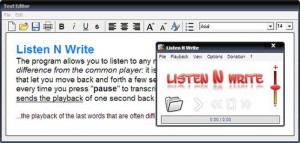
10. Listen N Write10 Listen N Write

Listen N Write is a standard transcription software that is designed for MP3 and WAV files. It does not take up so much space in your computer, yet it has the basic capabilities expected of any transcriptions software, including playback, text editing, key control and book marks. Your transcription tasks are significantly simplified and the tool is effective in helping you write what you are listening to as fast and as accurately as you need to. But you need to work hard still, because it has no automatic transcription features nor does it have voice or speech recognition technology.

9. VoxSigma

9 VoxSigma
The VoxSigma suite is an offering from Vocapia Research. It has multiple language capabilities, and among the world languages it supports are Spanish, French, Arabic, Russian, Dutch, German, English, Mandarin, and Portuguese. This software is intended for professional use and for hefty workloads. It works best in dealing with challenges such as transcribing a speech recording with a noisy background. It is also designed to deal with loads and loads of audio and video files that need transcription in real-time or in batches. The VoxSigma suite is suited to the requirements of call-center data transcription.

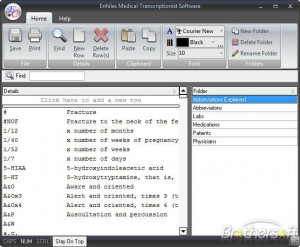
8. Enhilex Medical Transcription Software8 Enhilex Medical Transcription Software

The Enhilex Medical transcription software is more than a tool for medical transcriptionist. It is also great for word and folder listing and in managing related organizing tasks. Your folders will self sort and there is no limit to the words and folders that it can manage. The full version will cost you a few dollars, but the trial version is absolutely free.

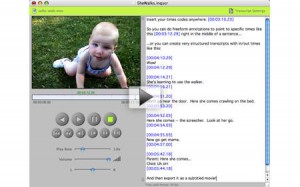
7. InqScribe7 InqScribe

InqScribe also supports multiple languages and has the capacity insert time codes and utilize analysis codes. It is simple to use and very flexible such that the strengths of the user are maximized. You can view a video and transcribe it using one window. One distinguishing feature of InqScribe is its capacity to creating subtitled movies. Why not convert your transcribed work into a movie with subtitles? You can also use a foot pedal for controls, leaving both hands to type. In this way, you get to complete your workload and finish deadlines on time.

6. Dragon NaturallySpeaking6 Dragon NaturallySpeaking

What is “Dragon Naturally Speaking?” This innovative software is offered by Nuance Communications. Its Mac version is called “Dragon Dictate.” This tool has three main functions, namely command input, dictation, and text-to-speech. This program has voice recognition software that becomes handy in a network set-up as it has good voice profiling capacity. You may use this to dictate text that is soon transcribed in written form. Customization of commands is allowed in the Pro version.

5. MacSpeech Scribe5 MacSpeech Scribe

For those who prefer to use Apple hardware and software, MacSpeech Scribe is our recommendation. It is a very efficient and smart tool to use, and guarantees fast transcription speeds. Its main function is to transcribe recorded dictation by a single speaker that is saved in any of the following standard audio file types: wav, .mp4, .m4a, .m4v, .aif, and aiff. This program can process recording made using any handheld devices for as long as they are in the supported formats. Nuance Communications owns this software now.

4. HyperTRANSCRIBE4 HyperTRANSCRIBE

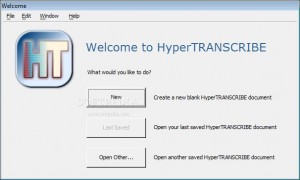
HyperTRANSCRIBE by Research Ware is an easy to use tool for a huge array of video files and audio files. This tool employs QuickTime to play various media formats, including .MP3, MPEG, WAV and AVI. HyperTRANSCRIBE is one of the most convenient transcription programs available in the market today, and it comes with a pedal, freeing your hands for typing. This tool is guaranteed to give you the speed that you need in transcribing audio file to text documents pronto.

3. MAXQDA3 MAXQDA

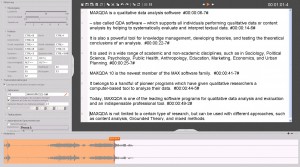
MAXQDA is a text analysis software that does an effective and efficient comparative analysis of audio or video and document files for assessment purposes. And since MAXQDA has its own built-in media player, professional-level transcription can be done directly. Very handy transcription tools are provided, such as pause and playback, sync mode, time stamps, etc. The output from this program may also be used in another transcription software.

2. EureScribe2 EureScribe

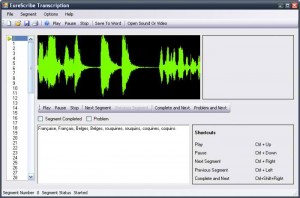
Another transcription software that is guaranteed to ease out the challenges of the job is EureScribe. This program supports many audio and video formats such as WMA, WAV, MPEG, AVI, DVD, and MP3. Keyboard shortcuts make the job much faster than it would be if you’d use a lot of the mouse. Text transcriptions are save in RTF format or as subtitles.

1. Express Scribe1 Express Scribe

Whether your system runs on Mac or PC, the Express Scribe transcription tool with it foot pedal control is sure to assist you in coming up with a professional job every single time. You can also opt to just use the hot keys, of course, but you can maximize all the features of this program for fast results. And you won’t have to pay a single penny for multi-channel control, file management, and playback features.

Posted on Monday, December 16, 2013 by Unknown

1 comment